Phishing

What It Is, How to Detect It, and How to Protect Yourself ?

What is Phishing ?

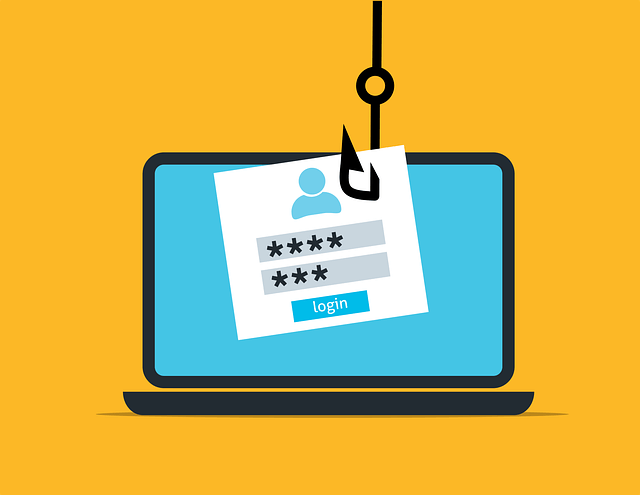
Phishing is a type of cyber attack where attackers impersonate legitimate organizations or individuals to trick you into providing sensitive information, such as passwords, credit card numbers, or personal details.

These attacks are usually conducted through deceptive emails, messages, or websites designed to look trustworthy.

phishing-6573326_640.png

How to detect Phishing ?

Detecting phishing can be challenging, but by being vigilant and knowing what to look for, you can protect yourself.

Here are some common signs of phishing:

Suspicious Emails or Messages:

Look out for unsolicited emails or messages from unknown senders, especially those asking for sensitive information.

Generic Greetings:

Phishing emails often use generic greetings like "Dear Customer" instead of your actual name.

Urgent or Threatening Language:

Phishers often create a sense of urgency or fear, urging you to act quickly to avoid negative consequences.

Poor Grammar and Spelling:

Many phishing emails contain noticeable grammar and spelling mistakes.

Unusual Links:

Hover over links to see where they lead. If the URL looks suspicious or doesn't match the sender's domain, it's likely a phishing attempt.

Unexpected Attachments:

Be cautious of unexpected email attachments, as they may contain malware.
How to counter Phishing ?

To protect yourself from phishing attacks, follow these best practices:

Verify the Source:

Always verify the sender's email address and the legitimacy of the request by contacting the organization directly through their official website or phone number.

Avoid Clicking Links:

Do not click on links or download attachments from unknown or suspicious emails.

Use Security Software:

Keep your antivirus software up to date and enable email filtering to detect and block phishing attempts.

Enable Two-Factor Authentication (2FA):

Use 2FA for an added layer of security on your accounts, making it harder for attackers to gain access even if they have your password.

Educate Yourself and Others:

Stay informed about the latest phishing tactics and educate your colleagues and family members on how to recognize and avoid them.
location contract signature write edit hand gesture

What to Do If You Think You've Been Baited ?

If you suspect you have fallen victim to a phishing attack, take the following steps immediately:

Do Not Panic:

Stay calm and assess the situation carefully.

Disconnect:

If you have clicked on a suspicious link or downloaded an attachment, disconnect from the internet to prevent further damage.

Change Passwords:

Change the passwords for the affected accounts and any other accounts using the same credentials.

Report the Incident:

Notify your organization's IT department or security team immediately. Provide them with all relevant details, including the suspicious email, any links clicked, and any information shared.

Monitor Accounts:

Keep an eye on your accounts for any unusual activity and report any suspicious transactions to your bank or service provider.

Scan for Malware:

Run a complete antivirus scan on your devices to detect and remove any malware that may have been installed.

Reporting Phishing to Your Organization

When reporting a suspected phishing attempt to your organization, be sure to include:

Details of the Incident:

Describe what happened, including the type of phishing attempt (email, message, etc.), the sender's information, and the content of the message.

Screenshots:

Take screenshots of the phishing email or message, including the email header, if possible.

Actions Taken:

Inform your IT department of any actions you have taken, such as clicking on a link or entering credentials.
Cookie Settings
This website uses cookies

Cookie Settings

We use cookies to improve user experience. Choose what cookie categories you allow us to use. You can read more about our Cookie Policy by clicking on Cookie Policy below.

These cookies enable strictly necessary cookies for security, language support and verification of identity. These cookies can’t be disabled.

These cookies collect data to remember choices users make to improve and give a better user experience. Disabling can cause some parts of the site to not work properly.

These cookies help us to understand how visitors interact with our website, help us measure and analyze traffic to improve our service.

These cookies help us to better deliver marketing content and customized ads.